
How to claim your business on ChatGPT (we just claimed ours)

More and more people ask ChatGPT for recommendations the way they used to ask Google. “Who can fix my WordPress site in Birmingham?” “What’s a good bakery near me?” Until now, a business had no say in what ChatGPT said about it.
That just changed. OpenAI launched something called Businesses in ChatGPT, and you manage it from a new Business Hub. Think of it like a Google Business Profile, but for ChatGPT. We claimed 397 Digital the day it came out. Here’s what it is, how the claim works, and what you get.
This is brand new, so we’ll keep this note updated as we learn more about it and use it for ourselves and our clients.
How to claim your business
- Go to chatgpt.com/business-hub (or find Business Hub in the ChatGPT sidebar).
- Search for your business and pick the right listing. Ours was already there, address and all.
- Choose how to prove it’s yours. The options are a code sent to your business phone or business email, a DNS record on your website’s domain, or connecting your Shopify store.
- Wait for OpenAI to review it.
Once you’ve verified, you land on a status screen: claim received, review in progress, and decision reached. OpenAI emails you with the decision, or if they need more information. You can withdraw the claim any time while it’s under review.
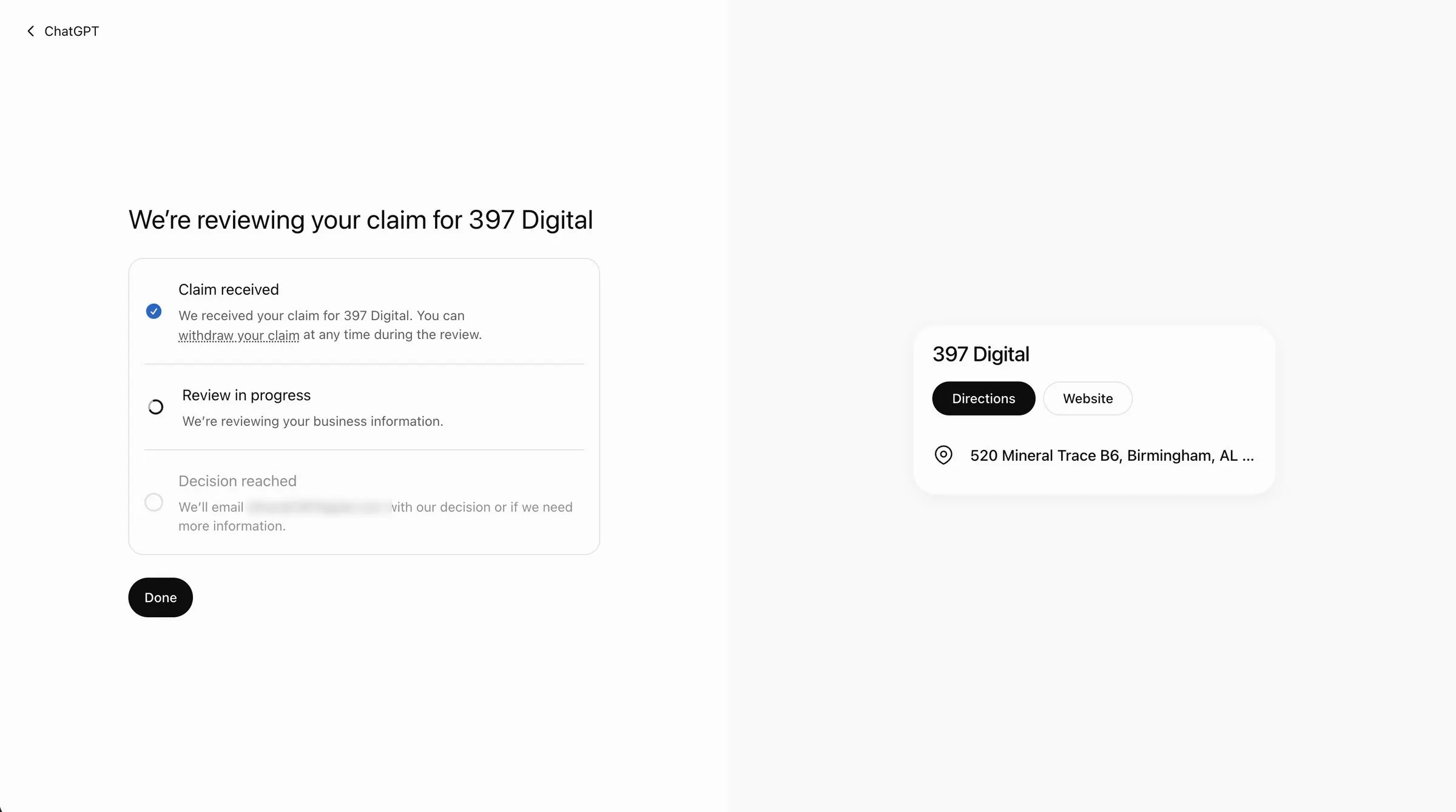
Ours was approved about five minutes later, and 397 Digital now has the blue check in ChatGPT.
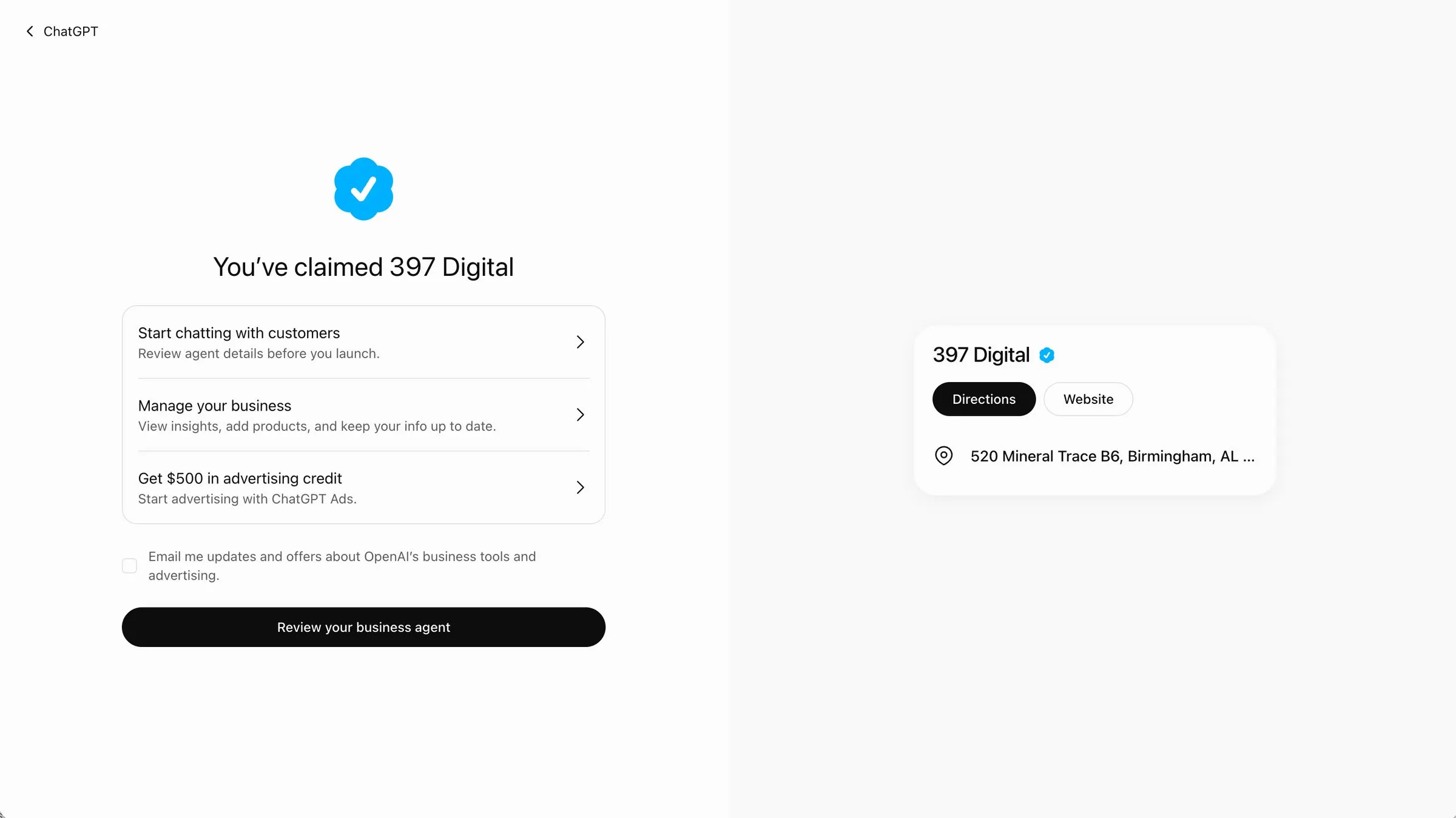
What you get
Once your claim goes through, you get a business dashboard in ChatGPT with three sections: Overview, Agent builder and Products.
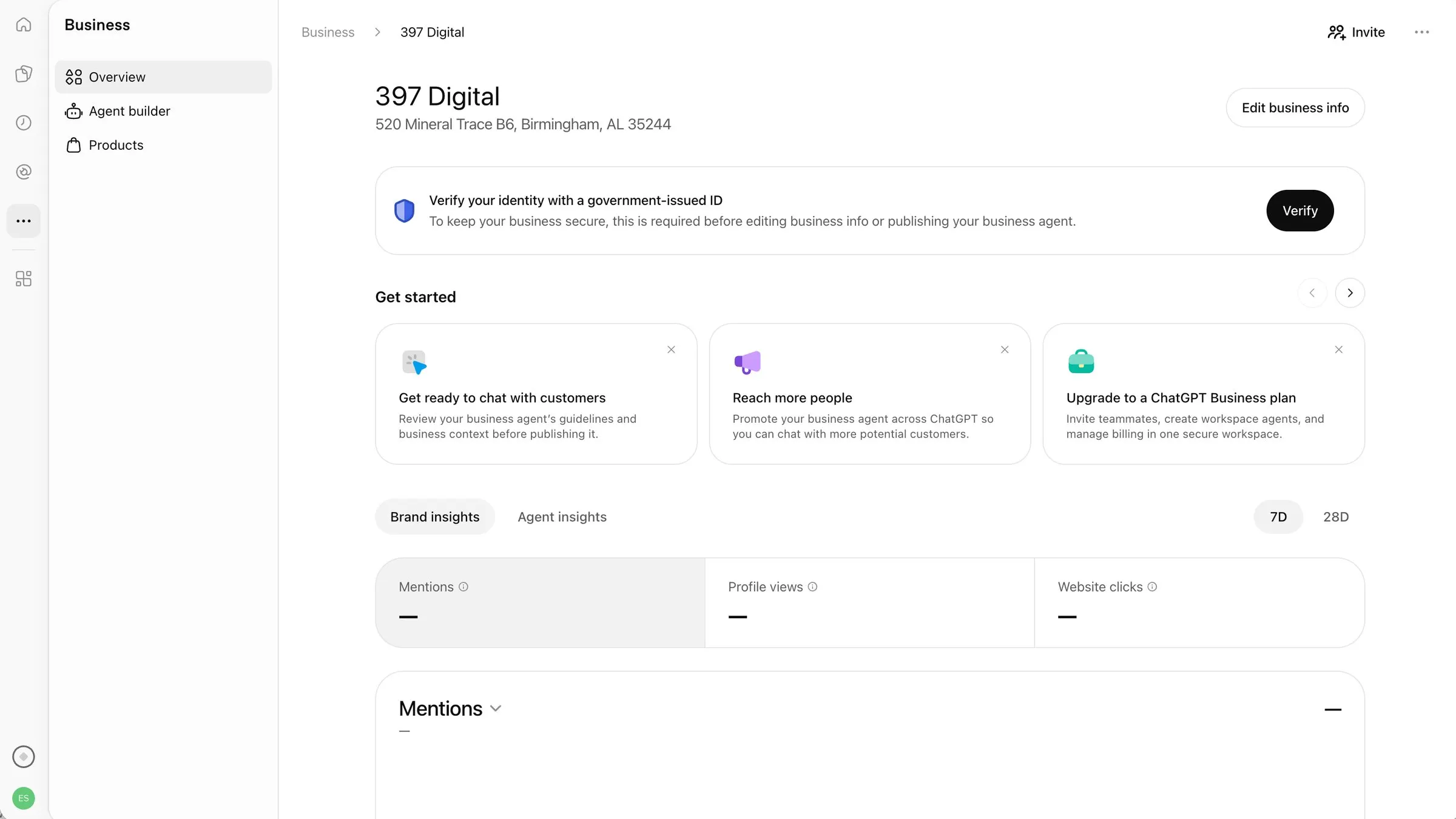
- Insights. How often ChatGPT mentions your business, how many people view your profile, and how many click through to your website, over the last 7 or 28 days. Ours are still blank, which makes sense on day one.
- Your business details. Edit your info, and add products if you sell online.
- A business agent. A chat assistant that answers questions about your business inside ChatGPT. You review it before it goes live.
- $500 in advertising credit for ChatGPT Ads, if you want to try them. You don’t need ads to claim your listing.
One more step: verify your ID
Before you can edit your business info or publish your agent, ChatGPT asks you to verify your identity with a government-issued ID. It runs through a service called Persona, and it went like this for us:
- Agree to the ID check. Persona keeps your account info for up to 7 days and your face scan for up to 30.
- Pick the country your ID is from, then the kind of ID (driver’s license, state ID, passport and so on).
- Take a photo of your ID.
- Take a short video selfie, turning your face left and right.
- Fill in your business details: name, any DBA name, where you’re located, and whether you’re a sole proprietor or a company.
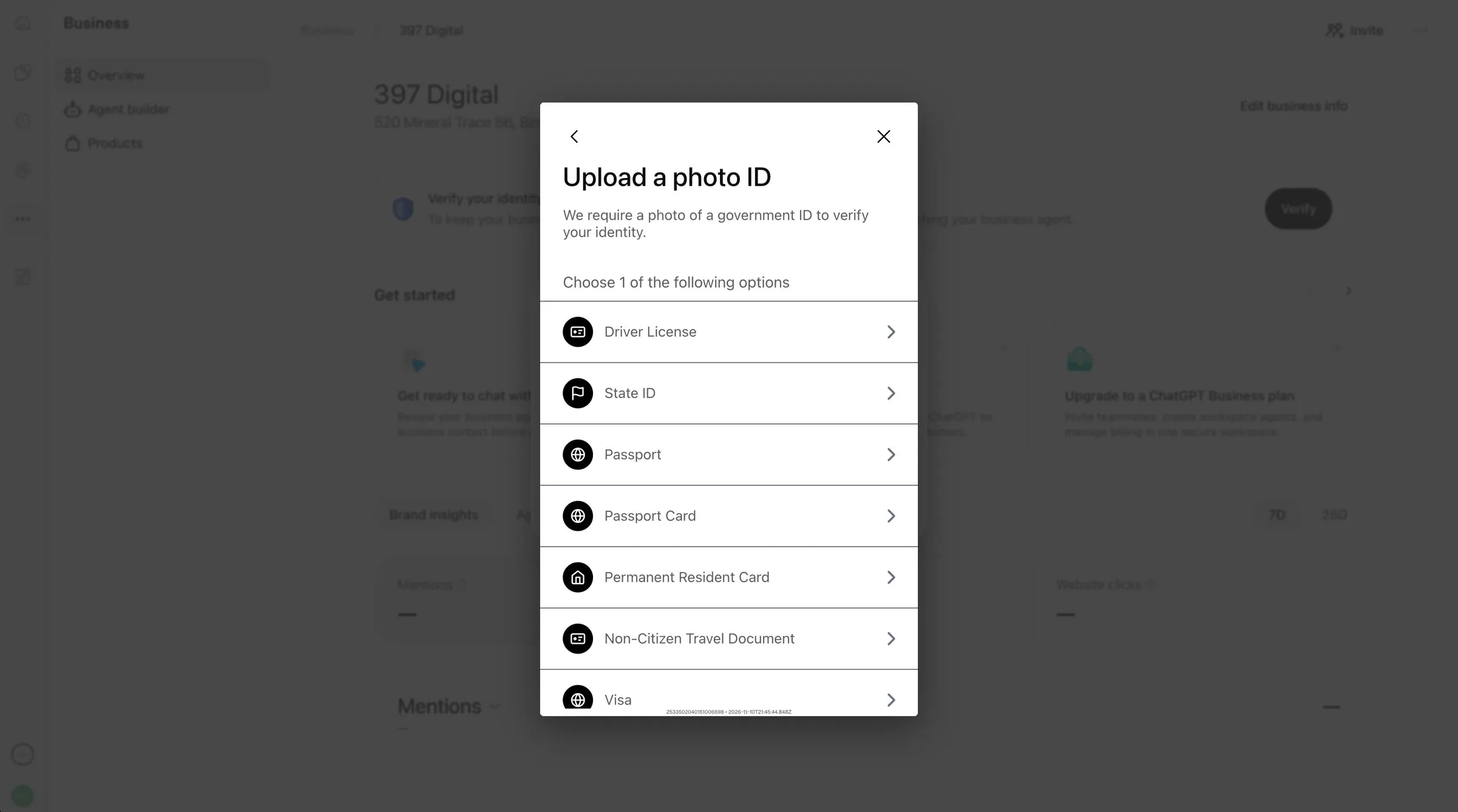
No webcam on your computer? Choose “Continue on another device” and finish on your phone. Have your ID handy before you start and the whole thing takes a couple of minutes.
OpenAI reviews changes to your listing before they go live, so edits aren’t instant.
The DNS option, if that’s the one you pick
We verified with DNS because we already manage our own domain. ChatGPT gives you a TXT record to add: the name is openai-business-claim.yourdomain.com and the value is a long code. Then you click Verify domain.
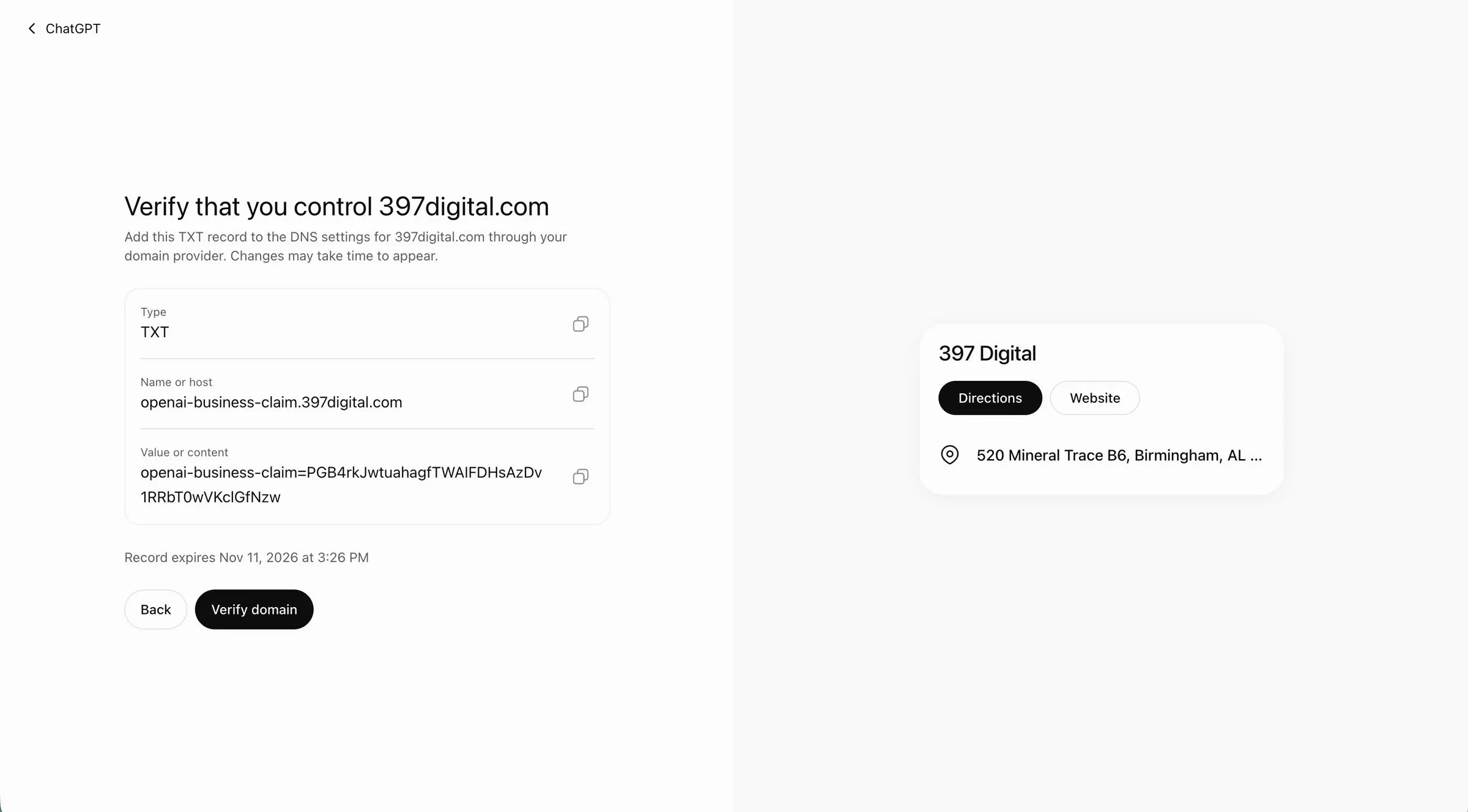
You add the record wherever your domain’s DNS lives (Cloudflare, GoDaddy, Namecheap and so on).
One thing to watch: the record expires 24 hours after ChatGPT gives it to you. If you don’t add it and click verify in time, you’ll have to start over and get a new one. DNS changes can take a little while to show up, so don’t leave it until the last hour.
If all of that made your eyes glaze over, use the phone or email option instead. Or send it our way and we’ll add the record for you.
A couple of things we got asked about:
- Is it OK that the code is public? Yes. Anyone can look up DNS records, and the code only proves you control the domain. Nobody can use it to claim your business.
- Can I delete it afterwards? We’re leaving ours in place. It doesn’t hurt anything, and it saves a headache if OpenAI ever checks again.
A few catches
- Local businesses can only claim a listing ChatGPT already has, and only in the US for now. If you’re a shop or restaurant and ChatGPT doesn’t have you yet, you can’t add yourself. Online businesses may get the option to add a new listing.
- Claiming doesn’t move you up. It makes sure what ChatGPT says about you is correct. It doesn’t buy you a better spot.
- Each location is separate. Claiming your main brand doesn’t claim your other locations.
- It’s free. The ads are optional and separate.
Should you bother?
If you’re a small business, yes. It takes a few minutes, it’s free, and it’s the same reason you keep your Google Business Profile current: people are asking, and you want the answer to be right.
The bigger thing ChatGPT looks at is still your website. A clear, fast site that says what you do and where you do it is what gets you mentioned in the first place.
Want help claiming yours, or getting your site ready to be recommended? That’s what Open Hours is for.