
Why our new site isn't built on WordPress (and what that means for yours)

Our new site went live this week. If you’re the type to peek under the hood (we see you, fellow web people), you’ll notice something different about it. It isn’t WordPress.
That’s kind of a big deal for us. WordPress has been our go-to since 2015, and for the past couple of years almost every new site we’ve launched has been WordPress with Bricks, ACF and Automatic.css. The last three versions of the 397 Digital site were built that way too.
So this is a note on what we did instead, why we did it, and what it actually means if you’re a client or an agency thinking about working with us. Short version: we’re not leaving WordPress. We’re just done using the same tool for every job.
A little background first
I (EZ here) didn’t start out as a WordPress guy. The first eight or so years of my career were spent building custom sites directly in code. Hand-written HTML and CSS, tons of front-end work in jQuery, and simple PHP for the backend, no CMS in sight.
Around 2015 I went all in on WordPress. It let clients run their own sites, and there was a theme, plugin or builder for just about anything a project needed. That was the right call for a long time, and for plenty of projects it still is. We’ve built LMS platforms, membership sites, ecommerce stores and multisite networks on it, and we’re not stopping.
But a few things shifted over the last year or two. The tools changed (a lot). The WordPress ecosystem got a little bumpy. And honestly, I started noticing how often we were reaching for WordPress out of habit instead of because it was the best fit. So for our own site, we tried something different.
How the new site is built
For years I designed in Sketch. Usually that meant exploring the brand (colors, font pairings), mocking up the key pages and components, then doing the real polish in the browser in Bricks. This time we used Paper, a newer design tool, because we wanted to test a faster loop between design and code. Concepts got spun up, iterated on and finalized in Paper, then handed straight off to be built as code components.
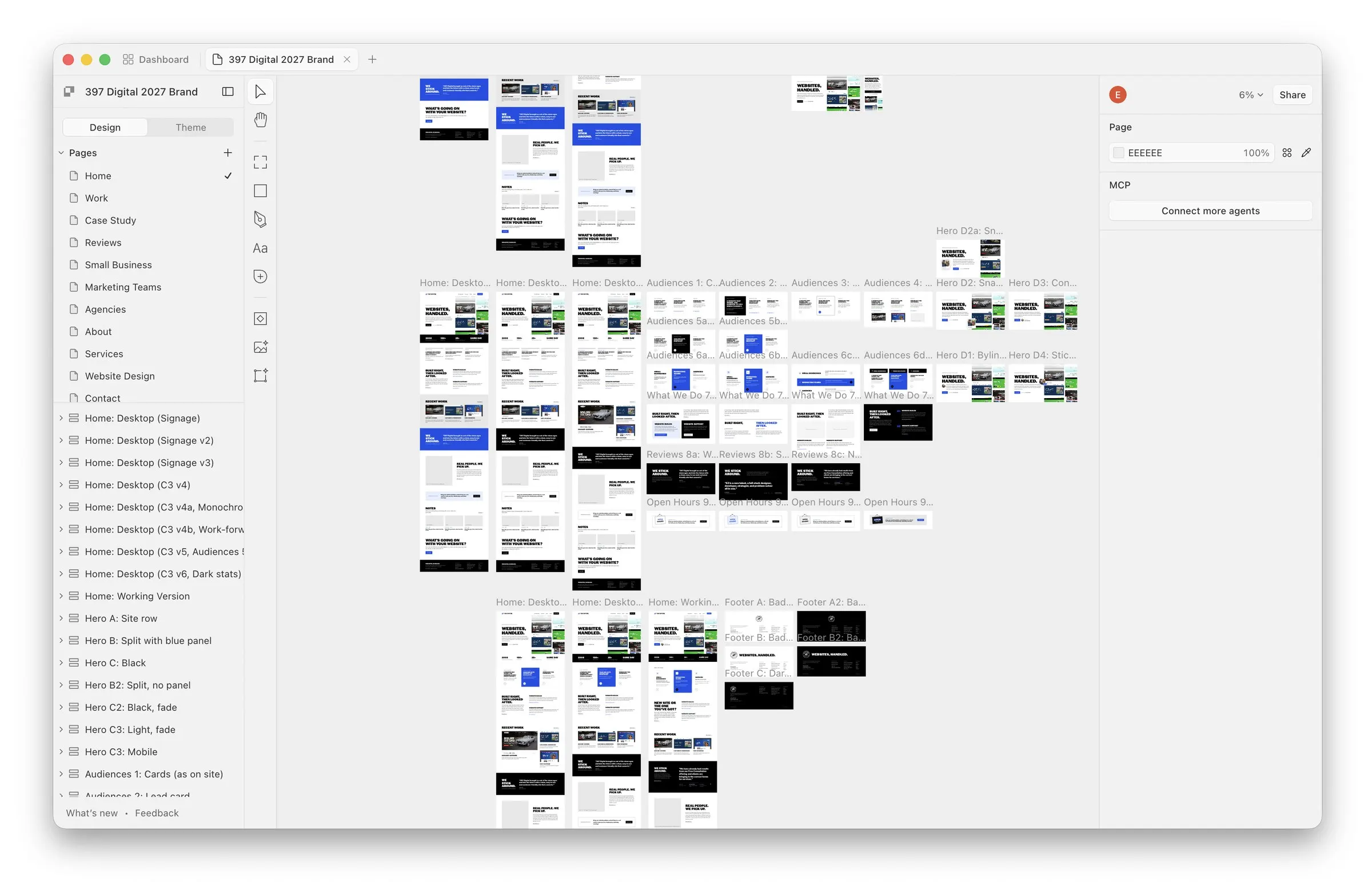
Every section on the site is a reusable component (heroes, project cards, review quotes, pricing panels and so on). There are about 58 of them, put together into 29 pages. No page builder, no plugins.
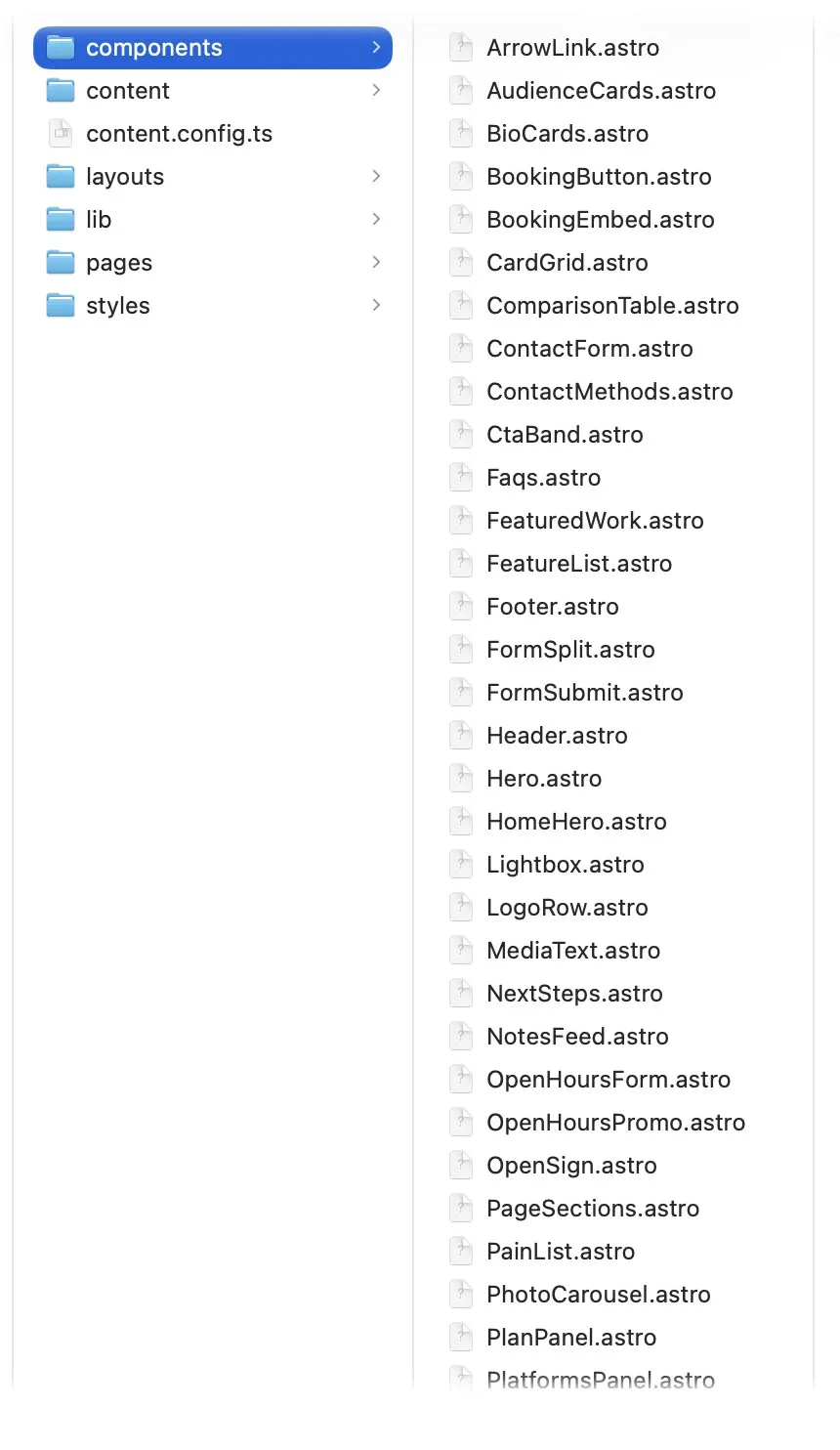
The site is built with Astro, which turns those components into plain HTML files ahead of time. When you load a page, nothing is being assembled on a server and there’s no database to ask. You just get a finished file. Page text, projects and reviews live in simple content files, so updating a page means editing text, not clicking around an admin.
There’s almost no JavaScript, either. The site doesn’t ship a single JavaScript file of its own. The few interactive bits (photo carousels, the work filters, forms) are small scripts written right into the page. The homepage is about 87 KB of HTML with all its styles built in, roughly 18 KB once compressed, and the whole project has exactly two dependencies: Astro and its sitemap tool.
It’s hosted on Cloudflare Workers, so pages are served from data centers close to whoever’s visiting. A small Worker handles the few things that do need a server, like sending form emails through Resend, blocking spam with Cloudflare Turnstile, and redirecting old URLs so we don’t lose links or search rankings from the old site.
For analytics we use Fathom instead of Google Analytics. No cookies means no cookie banner, and it doesn’t follow anyone around the web.
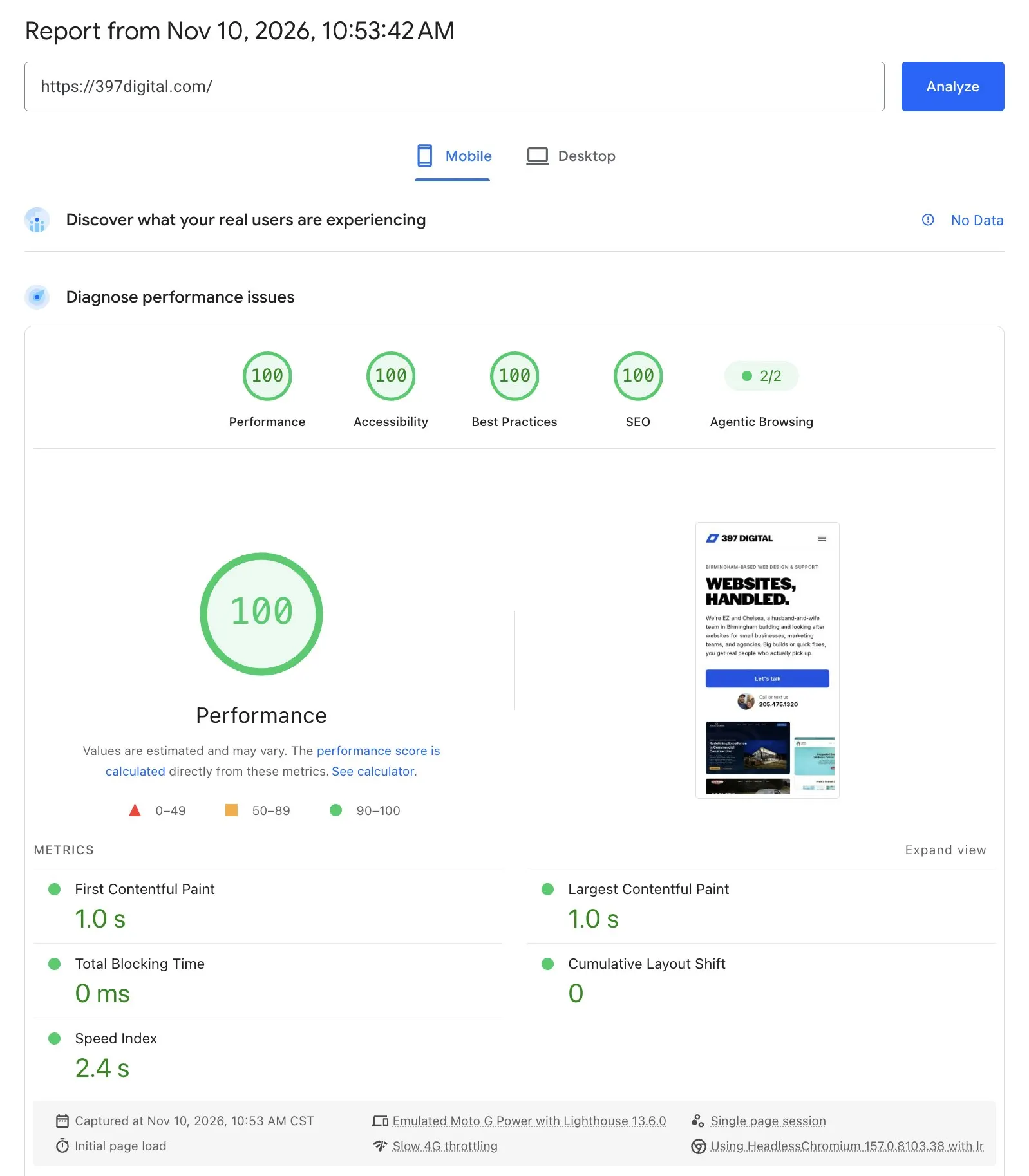
The result? On Google PageSpeed Insights (mobile, the tougher test) the homepage scores 100 for performance, accessibility, best practices and SEO. Content shows up in 1.0 seconds, there’s zero blocking time, and the layout basically doesn’t shift at all while it loads (0, if you’re into that kind of thing).
Where AI fits in
We built this site with Claude Code, an AI coding agent. I’m saying that up front because I think it matters, and because there’s a lot of noise out there right now about AI and websites.
This isn’t “type a prompt, get a website.” I’m directing the work, reviewing it, and making the calls on structure, accessibility, performance and how everything fits together. Eighteen years of hands-on web work is what makes that possible. You have to know what good looks like to catch it when the agent gets something wrong (and it does).
We’ve actually been working this way on the WordPress side for a while now. AI-assisted development has let us build custom features, improve accessibility, customize dashboard workflows for client teams, and build full custom plugins. A lot of that just wasn’t realistic before without long timelines and big budgets. Now clients are getting better solutions without breaking the bank.
For our own site, it came down to where we actually work. We spend most of our day in Claude Code and the terminal. Designing, building, editing content, adding features, publishing and deploying all happen right there. A WordPress dashboard would’ve just been a detour.
The upsides (and the honest tradeoffs)
The upside is pretty simple. Nothing on our site needs updating to stay secure. There are no plugins to patch, no login page to attack and no database to break. It’s fast because there’s barely anything to load. Hosting costs next to nothing. And design-wise we’re not boxed in by what a theme or builder wants to do.
So what’s the catch? For us, so far, there really isn’t one. It mostly changes how you think about editing a website. It’s also a bit of a full-circle moment for me, since this is basically how I worked for the first chunk of my career, minus the server.
But that’s for us. We live in code. Plenty of teams don’t, and shouldn’t have to. If your marketing team wants to log in and publish a blog post on a Tuesday afternoon, editing content files isn’t the answer. Same if you need different user roles and permissions, or the kind of features where WordPress already has a mature, battle-tested option (WooCommerce, LearnDash and the like). There’s no plugin you can just grab here. Every feature gets built.
That’s why this isn’t our new default for everyone. It’s one more option, and a really good one for the right project.
What this means for our clients
The big change is that we’re picking the platform for each project instead of using the same one for everything. Right now that looks like two main paths.
The first is a static site, like ours. This is a great fit for marketing sites, brochure sites and small business sites where nobody’s in there writing and publishing every week. You get a faster, more secure site with fewer moving parts to maintain, and we get a lot more design freedom than we had building the old way.
We’ve already done this for clients. We recently converted a Bricks + ACSS WordPress site for a small organization that runs purpose-focused retreats to a static site on Cloudflare. Their needs had gotten simpler, so it made sense to cut the hosting, maintenance and upkeep costs that came with running WordPress.
The second path is WordPress, and it isn’t going anywhere. If your team needs to publish regularly, needs user roles and permissions, relies on something from the bigger WordPress world (WooCommerce, LearnDash and so on), or just prefers a traditional CMS, that’s still where we’ll land.
What’s changing is how we get there. We’re building more custom themes, and every build now starts the same way, with designed components and our own lean markup and CSS. If the project needs WordPress, those components roll into a custom theme, get wired up with ACF where it makes sense, and regular content like blog posts goes into the block editor with custom blocks and styles. Either way you end up with cleaner code and a faster site, plus the option to move platforms later without starting from scratch.
There’s also a middle ground we’re excited about. Tools like Pages CMS can sit on top of a static site and give you a simple, ACF-style editing screen without a full WordPress install. We’ve only lightly tested it so far, but it’s promising for teams that want to edit a few things without the overhead.
What this means for agency partners
If you’re an agency we work with (or might), the short version is that we’re a lot more open on platforms than we used to be.
WordPress is still home base. But we’ve also supported HubSpot sites and landing pages, done design and setup work in Cvent, picked up some Webflow work this year, and built custom front ends here and there. Between how fast the tech is moving and the WordPress drama of the past year or so, I’ve gotten a lot more interested in being platform agnostic again. The goal is to pick the right tech for the project, then help your client understand the pros and cons of each option so nobody’s surprised later.
So if you’ve got a client project that doesn’t quite fit the usual WordPress mold, bring it to us. We’ll help figure out what makes sense, and build it under your brand like always.
Want to talk it through?
If you’re planning a new site, or wondering whether your current WordPress site even needs to be WordPress anymore, we’d love to hear about it. No pressure and no sales pitch, just a straight answer on what we’d recommend and why.
Reach out at ez@397digital.com or call or text (205) 475-1320.